
Daniel Levitin wrote The Organized Mind which provides wonderful tips for improving one’s life. He noted that the most productive and engaged people he meets, and these are musicians, CEO’s etc. all, suprisingly use physical index cards to manage their “to do’s” and priorities. Why not me? I set up my card deck and went about prioritizing and doing. So far its a work in progress. But my wife Tricia knows how to work it.
I woke up early this morning and found this card at my place as I sat down to coffee:

OK. She knew how to play this card system. This needed TOP billing. She was running an Advisory Board Meeting this day and needed agendas and more printed out. Also she and I use this printer, an HP CP2025 color laser, almost more than our refrigerator! The card took top billing.
It needed fixing. So I went right to work. As we have in the past, we scanned the Internet horizon for helpful souls who have encountered and conquered the problem AND taken the time to write about it.
The first solutions, like most first solutions, failed. “Turn the printer off and wait and try again.” – No cure. “Clean all the paper feed rollers.” – Nothing. The problem was that the printer kept sounding like it was trying to get a paper from the tray but it never did. And it kept this up until physically deplugged.
I have found that search terms are key. We gradually refined our search terms refined from
- hp printer does not feed paper …. to….
- getting specific about which printer…hp printer does not feed paper cp2025 …
This #2 got us closer. On the HP Community Site we found this was a known problem and better yet, a known source of the problem. East2100 said in a post on the Community Site,

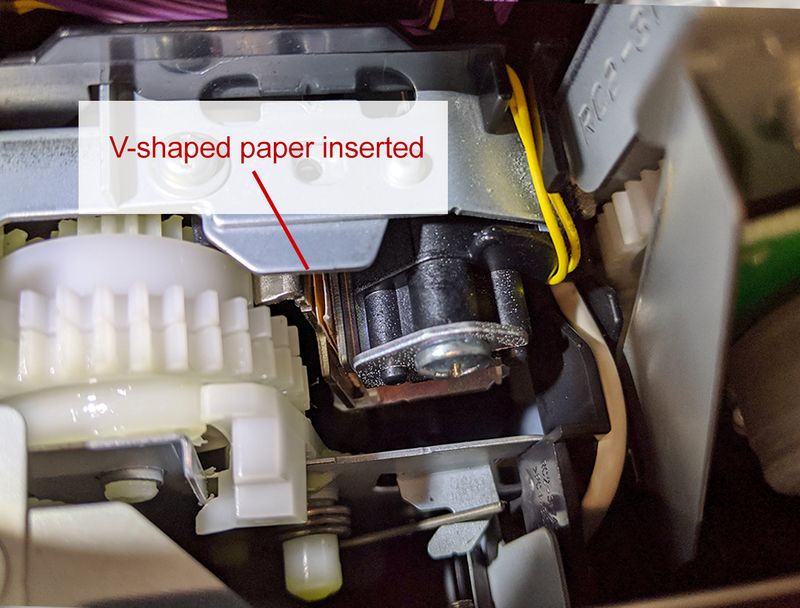
A known problem that results in a “sticky solenoid” stuck in an energized state. It then prevents the paper roller from working as described here by West Hill Printers. They explain that, “On the solenoid’s frame, there’s a tiny rectangle of foam rubber adhered with pressure-sensitive adhesive; it’s there to quiet the solenoid’s operation. The foam rubber deteriorates with age, and the adhesive bleeds through. ”
Great. Problem defined. Now, how to fix it? And here’s where we found the generous and accurate cure descriptions offered by RPHK in that same HP Community Board. Basically RPHK added clear ‘how to’ instructions to a brilliant fix that East2100 had come up with. In East’s words, “Put a piece of V-shape of paper througt [sic] a small hole when you look down into it, no need to try Dismantling anything if you did it will be hard to put everything back corectly [sic] without a tiny mistake. And it will spend much more time and danger than just put into a piece of V-shape paper.”
Brilliant solution in a few short sentences: Just disable the solenoid.
But where is it and how to get to it? Here RPHK leads the way. It was here:

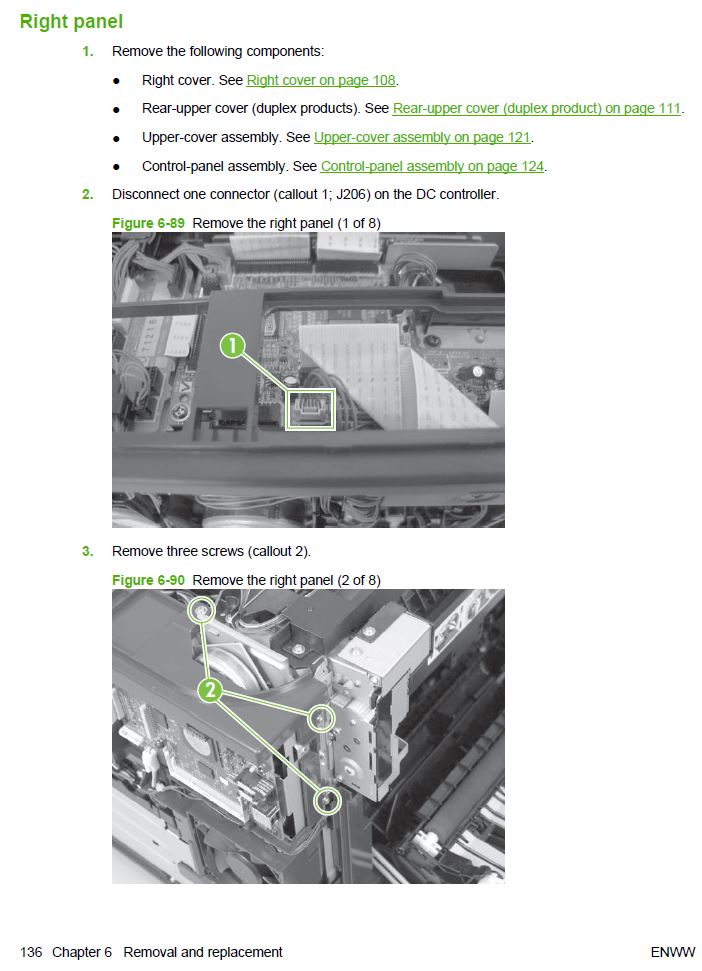
But how to get there? Here RPHK led us to the online service manual for the HP CP2025 which, he said, would guide us through the excavation of the printer to get at the solenoid. Sounded easy till we got into it. Getting the inner right panel off to get at the Solenoid meant removing four other components as the manual suggested:
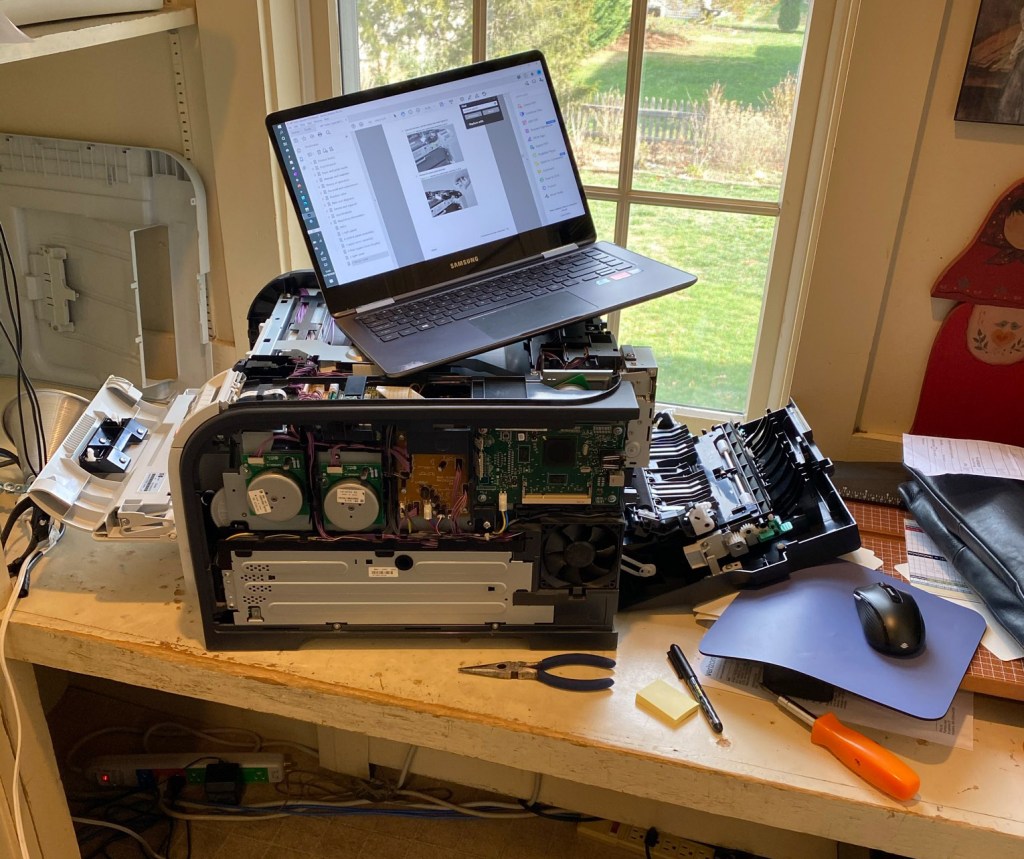
But we went forward! Unscrewing, lifting tabs, disconnecting wires and carefully moving flat flexible cables (ffc’s).
And we finally got there to do the magic. Inserting a simple folded slip of paper into the solenoid gap to prevent its seizing.
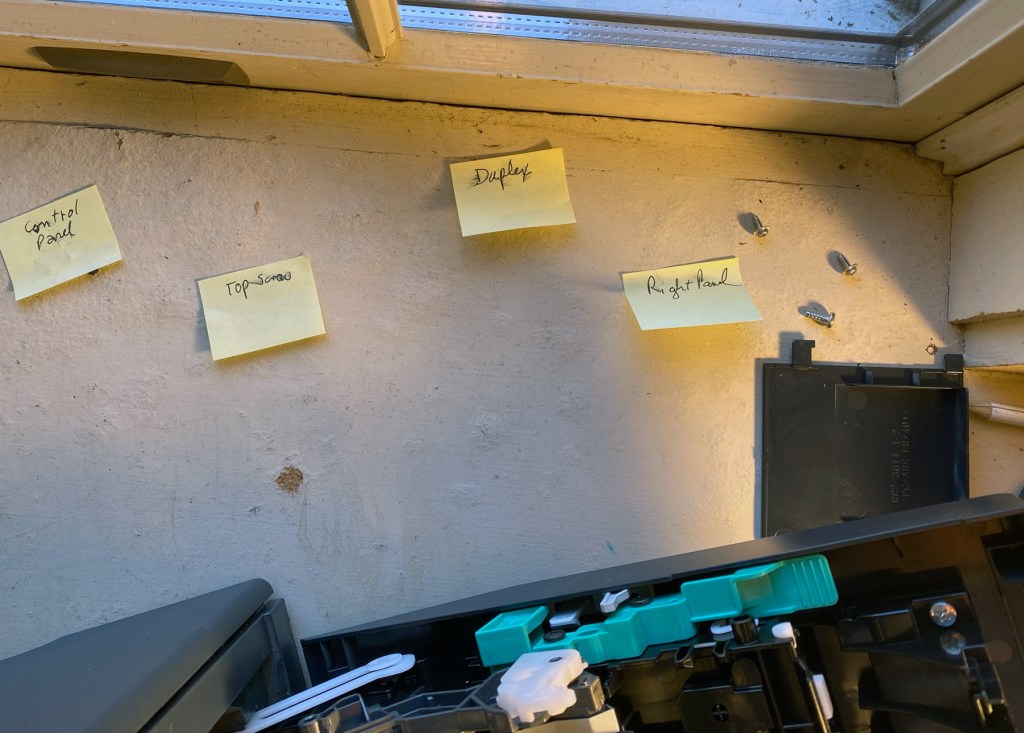
Putting the printer back together we followed the Hansel & Gretel-style Bread Crumb Trail that labelled screws from each component
We got it back together and three hours after we began the printer worked again! Mirabile Dictu. Thank you RPHK. Thank you East2100. And we will try to emulate your generous contributions.
Meanwhile its a great printer.
 Here's What I Found